How to Design a Trade Show Backdrop That Actually Gets Noticed
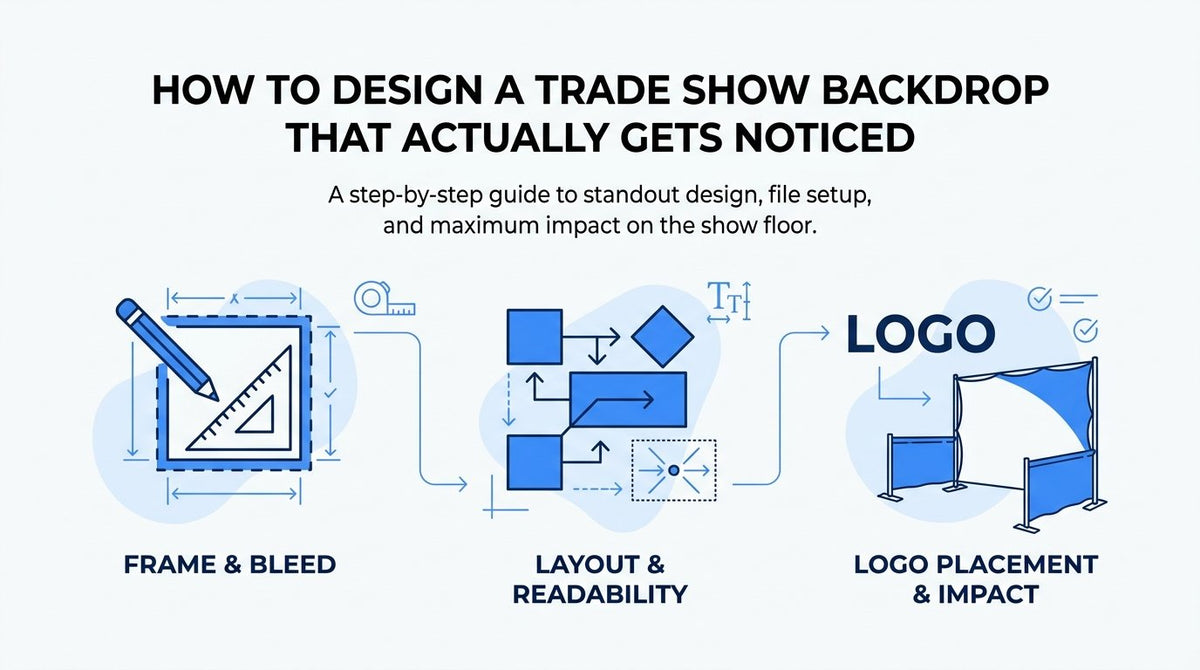
By the end of this updated 2026 guide, you'll know how to design a trade show backdrop from sizing to file setup, ready to hand off for print. Getting there means working through frame dimensions, bleed and safe area, layout style, logo placement, color contrast, and readability at booth distance, in that order. Before you start, decide on your frame type and booth footprint so your design matches the correct dimensions from the first click. Skip that step and you risk a beautiful design that doesn't fit the hardware or reads as a blur from across the aisle.
Step 1: Pick Your Frame Type and Confirm Backdrop Size
Every trade show backdrop design starts with the frame, not the artwork. Standard widths follow a few common conventions: an 8ft backdrop typically prints around 92" x 89", a 10ft backdrop runs closer to 118" x 89", and step-and-repeat panels come in their own set of standard widths depending on the stand system. These numbers vary slightly by manufacturer, so treat them as a starting point and confirm exact specs with your print provider, like JYS, before you open a design file.
Frame shape matters as much as width. Pop-up curved frames, straight tension fabric frames, and pillowcase-style panels each pull fabric differently around the structure, which changes how much of your image wraps around the edges versus sits flat on the front face. A design built for a straight frame won't sit correctly on a curved one, and vice versa. If you're not sure which frame your display uses, check the model number on the hardware or ask your printer to pull the spec sheet before you start designing.
Before finalizing size, measure the actual booth space and check the venue's ceiling and height restrictions. Many convention centers cap backdrop height around 8 feet for standard inline booths, with taller allowances reserved for island or peninsula spaces. A backdrop that's too tall for the hall gets flagged at load-in, which is not a problem you want to discover the morning of the show.
Once you know your frame model, exact panel dimensions, and any venue height limits, you have a locked canvas size to design against. Write that number down and use it consistently across every file you build for this project, since switching sizes mid-design is one of the most common causes of rush reprints.
Step 2: Set Up Bleed and Safe Area in Your File
Bleed is the extra image area that extends beyond your final trim or fold line, and it exists so no white edges or gaps show once the fabric or vinyl wraps around the frame. For fabric trade show displays, a bleed of 2 to 3 inches per side is typical as of 2026, though some frame systems that wrap more fabric around the back require more. Build this bleed into your canvas from the start rather than trying to add it later, since stretching a finished design to add margin usually softens image quality.
Safe area works in the opposite direction. Keep your logo, headline, and any critical graphic roughly 3 to 4 inches inside the outer edge of the visible panel. This margin protects your content from getting lost in frame folds, zipper closures, or hardware connection points where panels meet. A logo positioned right at the edge might look fine on your screen and then disappear into a seam once the fabric is tensioned onto the frame.
Set up your file at full scale whenever your software allows it, since large-format print work benefits from an exact 1:1 relationship between the file and the finished product. If full scale isn't practical because of file size, use a clean, consistent ratio like 1:4 and note that scale clearly in the file. Work in a program that supports layers, such as Adobe Illustrator or Photoshop, and label your bleed line and safe area as separate, clearly marked layers or guides. This isn't just for you: it gives the print team a fast way to verify your file matches spec before it goes to production, which saves a round of back-and-forth emails.
Step 3: Choose Between a Single-Image Layout and a Step-and-Repeat Pattern
The two dominant layout styles for trade show backdrops serve different purposes, and picking the right one starts with how the backdrop will actually be used on site. A single-image layout, one cohesive design spanning the full panel, works best for keynote backdrops, press walls carrying one hero message, or branded photo backdrops meant to anchor a booth's overall look. It reads as a complete visual from a distance and photographs well as a wide shot.
A step-and-repeat pattern, where a logo or short mark repeats in a grid across the panel, suits media walls and sponsor recognition displays. The repetition guarantees that no matter where a photographer frames a shot or where an attendee stands for a photo, the logo shows up cleanly in the image. This is standard for step-and-repeat press walls at conferences and award events, where dozens of individual photos get taken against the same backdrop throughout the day.
Let the photography use case decide. If your backdrop is meant to be seen as a whole, from a distance, at a keynote or main stage, a single image communicates more clearly and avoids the visual noise of a repeated mark. If it's meant to be a photo backdrop where individuals or small groups stand in front of it for close-up shots, a repeat pattern ensures your branding survives whatever crop or angle the photo ends up with. Some events combine both: a single-image hero design for the main booth backdrop, paired with a smaller step-and-repeat panel near a dedicated photo area.
Step 4: Place Your Logo and Key Messaging for Booth-Distance Readability
Logo placement on a trade show backdrop isn't a design preference, it's functional. Position your primary logo in the upper third of the panel, above average head height, so it stays visible in photos even when the space in front of the booth fills with staff and visitors. A logo placed low on the backdrop gets blocked constantly, both in person and in event photography that ends up on social media or a recap page.
Resist the urge to fit everything on the panel. Trade show attendees typically glance at a backdrop for only a few seconds while walking the aisle, so one clear headline or value statement will always outperform three competing messages fighting for attention. Choose the single sentence or phrase that matters most, your company name, your core offer, or your event tagline, and give it room to breathe. Secondary details like a website URL or social handle can sit smaller, lower on the panel, but they shouldn't compete visually with the primary message.
Watch where your frame's hardware lives before you finalize placement. Seams between panels, grommets, zipper tracks, and frame connection points can all obscure or distort part of your design once it's mounted. Avoid setting your logo or any text directly over these zones, even if they fall within your safe area on paper. If you're unsure exactly where seams and hardware fall on your specific frame, ask your print provider for a hardware diagram before you lock in your layout. A quick check here prevents the frustrating outcome of a logo that looks perfect in the file and slightly broken on the actual booth.
Step 5: Choose Colors and Contrast That Hold Up Under Booth Lighting
Trade show floors are lit aggressively, with overhead spots, ambient hall lighting, and sometimes competing LED displays from neighboring booths all washing across your backdrop at once. Low-contrast color choices that look balanced on a calibrated monitor can flatten out completely under those conditions. Build your design around high contrast from the start: a dark background with light, clean text, or the reverse, so your message stays readable regardless of what the venue's lighting does to it.
Limit your palette to two or three main colors tied to your brand guidelines. A backdrop crowded with color competes with itself, and any additional shades beyond your core brand palette tend to read as clutter rather than personality. Consistency here also makes your booth instantly recognizable to repeat attendees who've seen your brand at previous shows.
Screen colors and printed colors are not the same thing, and this catches first-time backdrop designers more than almost anything else. Monitors display in RGB, which can render saturated colors, especially bright blues, greens, and neons, more vividly than large-format fabric or vinyl printing can reproduce in CMYK. Whenever possible, ask your print provider for a CMYK proof or physical swatch before finalizing your file, particularly if your brand relies on a specific saturated color. A small shift in color might be barely noticeable on a business card and very noticeable on a 10-foot backdrop.
Step 6: Check Readability at Booth Viewing Distance
Text that looks perfectly legible on your laptop screen from two feet away can vanish entirely from across a trade show aisle. A common rule of thumb in large-format signage is roughly one inch of letter height for every 10 feet of intended viewing distance. For a backdrop meant to be read from 10 to 15 feet away, that means headline text should generally run at least one to one and a half inches tall, with your logo and primary message sized even larger if you want it readable from further down the row.
Don't trust your screen at a default zoom level to catch sizing problems. Either view your file at its actual full print size, if your software and monitor setup allow it, or zoom out until the on-screen image matches roughly the same proportion a person would see from 10 to 15 feet away in real life. A simple trick: print a scaled-down version on a standard sheet of paper, tape it to a wall, and back up across the room. Text that struggles to read from that distance will struggle even more at full booth scale.
Font choice matters as much as size. Thin script fonts, fine serif details, and anything with delicate hairline strokes tend to blur or lose definition when printed large on fabric or vinyl substrates, even at high resolution. Stick to clean, bold sans-serif or slab-serif fonts for anything meant to be read from a distance, and reserve decorative or script fonts for small supporting text that's meant to be seen up close, if at all.
Step 7: Export Final Files and Send for Proofing
The final step is where careful design work either survives the print process intact or gets undermined by a rushed export. Send your file as a high-resolution PDF or TIFF, typically built at 150 to 300 DPI at full scale as of 2026, with bleed marks clearly included. A low-resolution web image, even one that looks sharp on a phone screen, will not hold up at 10 feet wide and will come back from print looking soft or pixelated.
Before exporting, take care of a few technical details that prevent file errors on the print team's end:
- Convert fonts to outlines, or embed them fully, so text doesn't reflow or substitute if the printer's software doesn't have your exact font installed.
- Flatten your layers into a single final image, so nothing shifts position or visibility during file processing.
- Double-check that your bleed and safe area guides are either removed from the visible artwork or clearly separated onto a non-printing layer.
- Confirm your color mode is set to CMYK rather than RGB, since this affects how accurately your on-screen colors translate to print.
Once your file is exported, request a digital proof from your print provider before production begins. This is your last checkpoint to catch a sizing mismatch, a color shift, or a placement issue before it's committed to fabric. Reconfirm your frame model and backdrop dimensions one more time at this stage, even if you locked them in during Step 1. Specs get updated, inventory changes, and a five-minute confirmation call is far cheaper than a reprint discovered the week of the show.
Once your file is proofed and dimensions are confirmed, browse JYS's event backdrops and tradeshow displays selection to match your design to the right frame and get it into production. Our team can verify specs, check your file for print-readiness, and walk you through frame options if you're still deciding between a pop-up, tension fabric, or step-and-repeat system. Whether you're prepping for a regional trade show or a major convention floor, having a print partner double-check the details before production runs is the simplest way to avoid a costly surprise. Experience JYS: Order Now
If you're ready to put fabric to frame, browse our event backdrops collection to find the panel style and frame system that matches your booth footprint.