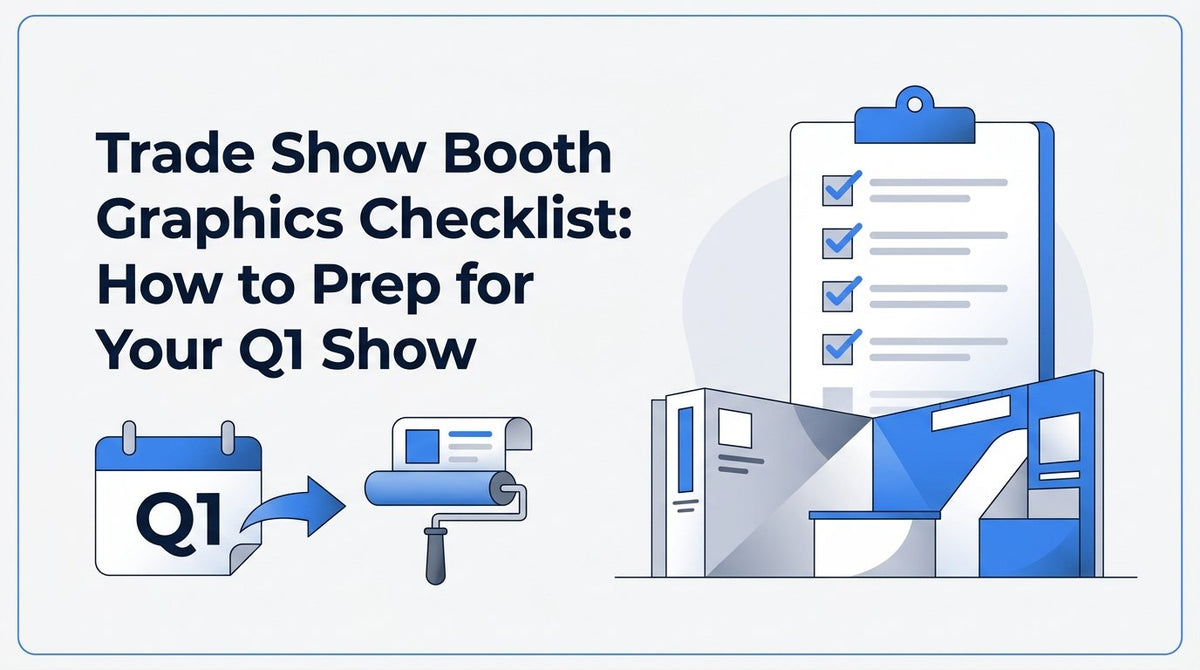
Trade Show Booth Graphics Checklist: How to Prep for Your Q1 Show
Updated October 2026. By the end of this checklist, you'll know exactly what graphics to order, how to size them for your booth, and how to get artwork production-ready so nothing holds up your Q1 show date. Before starting, have your booth dimensions, show contract, and any existing brand files on hand. Work through the steps in order: dimensions first, then your order list, then file prep and proofing, so you're not reworking artwork after the fact.
Step 1: Confirm Your Booth Dimensions and Display Type
Every booth graphics order starts with hard numbers, not a mental estimate of "about 10 by 10." Pull your exact booth dimensions from the show services manual your event coordinator sent, or log into the exhibitor portal for the general contractor. This document also tells you your booth type, which matters more than most exhibitors realize. A pipe-and-drape booth needs different hardware than a hard-wall or modular system, and a pop-up backdrop sized for one won't fit the other.
Once you know your footprint, decide which display types actually fit your goals. A 10x10 inline booth usually calls for one anchor backdrop plus a retractable banner or two. A 10x20 or larger corner booth has room for a tension fabric display, a step-and-repeat wall, and freestanding pieces near the aisle. If you're unsure which format suits your space, JYS's tradeshow display collection is a good place to compare tension fabric backdrops, pop-ups, and retractable stands side by side before you commit.
Don't skip ceiling height and sightline restrictions. Many convention centers cap backdrop or hanging sign height at a specific mark, often lower in a standard inline row than in a corner or island booth. Check your manual for these limits, and note whether neighboring booths could block your graphics from aisle view. This is also the moment to confirm whether your booth includes any built-in structure (like a pre-installed pipe-and-drape wall) that your graphics need to attach to, since that changes what hardware you order.
Step 2: Build Your Graphics Order List
With dimensions and display type confirmed, build your order list starting with the piece that carries the most visual weight. For most exhibitors, that's a large-format backdrop or step-and-repeat wall behind the booth. This is what attendees see from across the hall, so it should feature your logo, a clear value statement, and enough contrast to read from 20 or 30 feet away. Add one or two retractable banners to flank your booth entrance or reinforce your message where foot traffic passes closest.
Once the anchor pieces are set, fill in supporting graphics that guide attendees through the booth experience:
- Directional floor graphics to draw attendees toward your booth or a specific display area
- Counter or podium wraps for registration tables, demo stations, or checkout counters
- Small acrylic or foam board signs for pricing, product specs, or session schedules
- Window or wall graphics if your booth includes a private meeting space or enclosed structure
If the venue allows outdoor or lobby signage, order one or two yard signs or A-frame signs to direct attendees from the entrance or parking area to your booth number. These are inexpensive relative to your main display pieces, but they're easy to forget until the week of the show, and by then production and shipping windows are tight.
Resist the urge to order everything at once without a plan. Match each graphic to a specific purpose (anchor visual, traffic driver, informational signage, wayfinding) so you don't end up with redundant pieces or gaps in your booth story. A tight, purposeful list also makes the file prep and proofing steps that follow much faster.
Step 3: Size Each Graphic to Its Display Hardware
Once your order list is set, size every graphic to the exact hardware it will hang on or hardware you're purchasing alongside it. This means pulling the manufacturer's spec sheet rather than rounding to a nearby standard size. An 8-foot tension fabric display and a 33.5-inch retractable banner stand have very different print dimensions, bleed allowances, and hardware attachment zones, and a graphic sized for one won't sit correctly on the other.
Two terms matter here if you haven't worked with large-format print before:
- Bleed is the extra margin of artwork extended beyond the final trim line, so that when the piece is cut or fitted to hardware, no unprinted edge shows.
- Safe zone is the inner margin where critical text, logos, and QR codes should stay, keeping them clear of trim edges, hardware clips, or fabric hems that could cover part of the image.
Ignoring either one is a common cause of reprints. A logo placed too close to the edge of a retractable banner can get clipped by the cassette housing. Text set too near the bottom of a tension fabric panel can disappear into the zipper or hem seam.
For large tension fabric walls or modular displays made of multiple panels, check where the panel seams fall before finalizing your layout. Seams typically run at fixed intervals based on the fabric or panel width, and a face, logo, or line of text that lands directly on a seam will look broken up once the display is assembled. Ask JYS for the panel layout or seam map for your specific display size before you finalize artwork placement, especially for a photo-heavy backdrop where a seam through someone's face or a product shot would be obvious and distracting.
Step 4: Prepare and Submit Artwork Files
File prep is where most production delays start, so it's worth doing carefully rather than quickly. For logos, wordmarks, and any text-heavy graphic, vector files are strongly preferred. Formats like AI, EPS, or a PDF with fonts outlined scale cleanly to any size, from a small counter sign to a 20-foot backdrop, without losing sharpness. If your brand assets only exist as a low-resolution logo pulled from a website, flag that early so there's time to source or recreate a print-ready version.
Photographs and textured backgrounds are the exception where raster files are acceptable. The standard is at least 300 DPI at final print size, not at a smaller preview size. A photo that looks crisp at 8x10 inches on screen can turn soft and pixelated once it's blown up to fill an 8-foot backdrop panel. If you're not sure whether an image will hold up, send it to your print provider and ask them to check resolution at full scale before you build the rest of the layout around it.
A few additional file basics that prevent rework:
- Set your file to CMYK color mode, not RGB, since large-format printing reproduces color differently than a screen does
- Include Pantone (PMS) references for any brand color that must match exactly across multiple pieces, like a backdrop and a matching banner stand
- Keep layers organized and label them if you're submitting a layered design file, so your print provider can quickly locate text and logo elements
- Send fonts or outline them, since a missing font can shift your entire layout during prepress
When in doubt about a file, ask before submitting. A quick check from JYS's production team on resolution, color mode, or sizing takes far less time than a reprint after the fact.
Step 5: Review and Approve Your Proof
Once your files are submitted, you'll receive a proof before anything goes to print. Review it at actual scale wherever possible. A logo that looks fine in a shrunk-down PDF preview can reveal spacing or alignment issues once you view it at the true dimensions of an 8-foot backdrop or a 33-inch banner. For colors that need to match exactly, such as a specific brand blue, request a printed swatch rather than relying on how the color displays on your monitor, since screens render color inconsistently.
Use the proof stage to check every detail that's easy to overlook when you're focused on the overall design:
- Spelling of company names, taglines, and contact information
- Phone numbers, URLs, and email addresses, especially if they were updated recently
- QR codes, tested with a phone camera to confirm they link to the correct page
- Booth number, if the show has assigned one and you're including it on directional signage
- Alignment and centering, particularly on multi-panel displays
Treat proof approval as the last checkpoint before production locks in. Once you sign off, changes typically mean starting the print run over, which affects both cost and your timeline. If multiple people in your organization need to weigh in, marketing, leadership, or an event lead, route the proof to them before you approve it rather than after. It's far easier to catch a typo or outdated phone number at this stage than to explain it away on the show floor.
Step 6: Plan Production Lead Time Around Your Show Date
As soon as you place your order, ask for a written production lead time estimate specific to each item. Turnaround varies by piece: a simple yard sign or foam board sign typically moves through production much faster than a tension fabric display or a large step-and-repeat wall, which involves more setup, more material, and more finishing steps. Ask JYS directly for current estimates on your specific graphics, since these timelines shift with order volume and season.
Build buffer days into your internal timeline beyond whatever lead time you're quoted. If your proof needs a revision round, and many do, that adds time before production even starts. If your approval process involves more than one stakeholder, plan for their review time separately from the print provider's production time. A realistic timeline looks like: file submission, initial proof, internal review and revision, final approval, then production, then shipping. Each stage needs its own window, not a single combined estimate.
Q1 is peak season for trade shows across most industries, from national conferences to regional trade events, and order volume at print shops rises accordingly during this stretch. Placing your order weeks ahead of your show date, rather than days, protects your spot in the production queue and gives you room to handle the unexpected, whether that's a proof revision, a shipping delay, or a last-minute change to your booth number or messaging. Ordering early doesn't cost you anything extra, but ordering late can limit which display options and turnaround speeds are still available to you.
If a show lands on your calendar with less lead time than expected, our guide to last-minute trade show graphics covers which formats move through production fastest and how to sequence rush orders without missing your deadline.
Step 7: Confirm Shipping Cutoffs and Delivery Method
Once production is underway, decide how your graphics will reach the show. You generally have three options: ship directly to the venue's advance warehouse, ship to your own office or a team member's location ahead of the event, or arrange local pickup if you're near Cypress, Katy, Tomball, or Northwest Houston. Each has trade-offs. Shipping to the advance warehouse means your materials are handled by the show's general contractor and delivered to your booth space, but it also means less control over the final leg of transport. Shipping to your office gives you a chance to inspect everything before you travel, but requires you to transport it yourself.
The advance warehouse is a shipping term used by show general contractors for a receiving location, separate from the venue itself, where materials arrive ahead of the show and are stored until move-in. Confirm the freight receiving cutoff date for this warehouse as soon as you know it. This cutoff is often a week or more before the show opens, and materials that arrive after it may incur late fees or, worse, miss the floor entirely. This date is usually listed in the same exhibitor services manual where you pulled your booth dimensions in Step 1.
Finally, ask about installation support if your order includes a larger backdrop or tension fabric display that takes more than a few minutes to assemble on-site. JYS offers local installation in the Cypress and Houston area for exhibitors who want help getting a display set up correctly and on schedule, and can also advise on packing and shipping logistics for displays headed to shows outside the region. Confirming this early means you're not troubleshooting hardware assembly instructions the morning of move-in.
Ready Your Booth Graphics for Q1
Work through this checklist a few weeks before your Q1 show, starting with your booth dimensions and working forward through ordering, file prep, proofing, and shipping. That order of operations is what keeps a booth graphics order on schedule, rather than scrambling to fix sizing or file issues the week of move-in. Browse JYS's tradeshow display options to compare backdrops, retractable stands, and full display systems, and reach out with your booth dimensions and show date so the team can map out a production and shipping timeline that fits.