What File Should You Send for a Custom Sign? Artwork Formats Explained
Ordering a custom sign starts with a design, but the file you submit matters just as much. The wrong file—or a file that is missing essential artwork—can lead to extra preparation, revisions, or delays before production.
If you're preparing a logo, business sign, event graphic, or large-format display, start by identifying which artwork file you have and whether it is ready for the sign you want to produce.
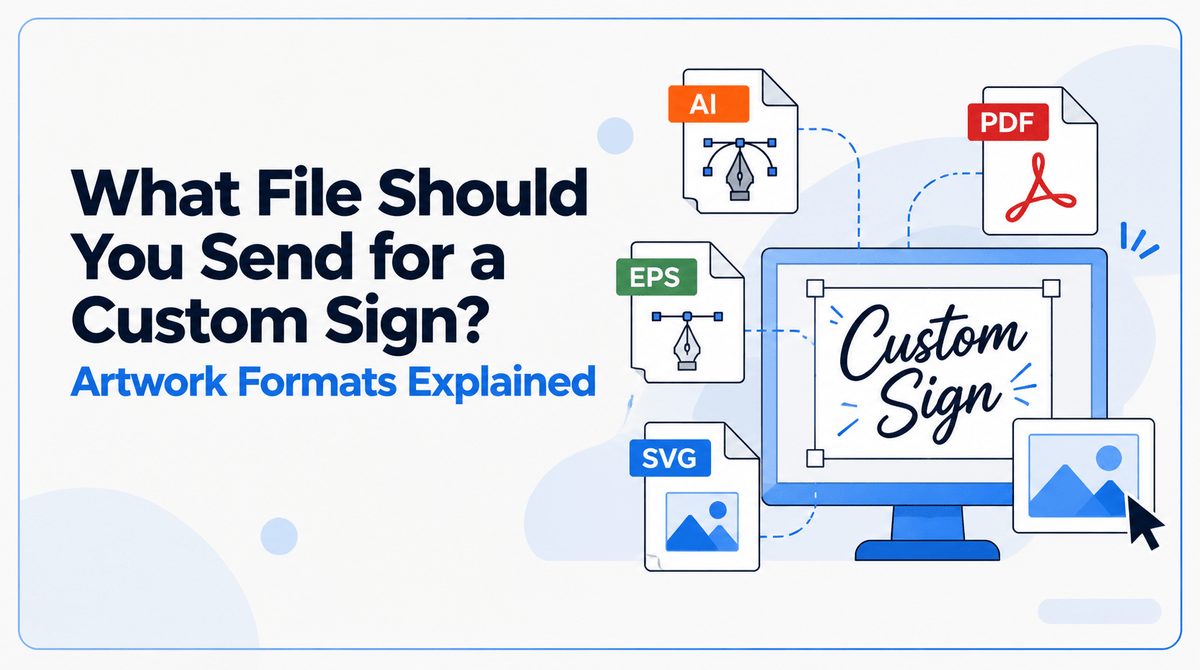
At JYS Sign & Print Co., press-ready PDF is the preferred format. AI, PNG, and JPG files are also accepted, subject to the requirements of the specific project. Here's how to understand the differences and what to check before submitting your artwork.
Which File Format Should You Send?
The best starting point is the highest-quality original artwork available. The format you choose should preserve the design clearly and provide the information needed for your particular sign.
JYS's published website guidance identifies these formats:
|
File format |
What it is |
When it may be useful |
|
|
A document format that can preserve vector artwork, text, and images |
JYS's preferred starting format when supplied as a press-ready PDF |
|
AI |
An Adobe Illustrator artwork file |
Editable design files, logos, and vector graphics |
|
PNG |
A raster image format that supports transparency |
Certain logos and graphics, provided image quality is sufficient |
|
JPG/JPEG |
A raster image format commonly used for photographs |
Photographs and flattened graphics with sufficient resolution |
JYS lists PDF as its preferred format and also accepts AI, PNG, and JPG. Acceptance of a format does not automatically mean every file in that format is ready for every production method. Artwork still needs to meet the requirements of the specific order.
If you're unsure whether your file is suitable, confirm the requirements before submitting the final artwork.
Vector vs. Raster Artwork: Why the Difference Matters
One of the most useful distinctions is whether your artwork is vector-based or raster-based.
Vector artwork
Vector artwork uses paths and shapes to define graphics. It is particularly useful for logos, text-based designs, and illustrations that need to remain sharp when resized.
If you have a company logo or a clean graphic intended for a custom sign, a vector original is often the best file to start with.
AI files and vector-based PDFs are common examples. EPS is another widely used vector format, but confirm acceptance with JYS before submitting an EPS file because it is not listed among the formats in the shop's current public file-format guidance.
A vector file still needs to be prepared correctly. Fonts, linked images, dimensions, and other production details can affect whether the file is ready to use.
Raster artwork
Raster artwork is made from pixels. Photographs and many images saved from websites or design applications use this format.
PNG and JPG files can be appropriate for print projects, but their suitability depends on the image's quality and the final sign dimensions.
A small logo downloaded from a website may look clear on a screen but become visibly pixelated when enlarged. Changing the file extension or simply increasing its dimensions does not restore image detail that was never present in the original.
For photographs and other raster graphics, start with the highest-quality original file available.
What Does Print-Ready Mean?
A print-ready file is prepared for its intended production use. It contains the correct artwork and has the necessary dimensions, image quality, and layout details for the specific product.
The exact requirements can vary depending on the sign, material, and finishing process.
Before submitting artwork, check the following:
Final dimensions: Confirm the finished sign size and make sure the artwork is prepared for it.
Image quality: Ensure photographs and other raster images have sufficient resolution at the intended print size.
Fonts: Embed or outline fonts where required so text does not change because a font is unavailable.
Linked images: Include or embed any external images required by the design.
Bleed and safe margins: Confirm whether the product requires bleed beyond the trim edge and extra space around important text or logos.
Color: Follow the color specifications provided for the job. JYS's published guidance recommends CMYK and 300 DPI at final size, but product-specific requirements should still be confirmed where necessary.
A file can have the correct extension and still require corrections before production. The goal is to submit artwork that matches the actual requirements of the sign you're ordering.
Why a Logo From Your Website May Not Be Enough
A logo displayed on your website is not necessarily the best file for a printed sign.
Web graphics are often optimized for screen display and may contain limited image detail. Enlarging a small raster logo for a storefront sign, banner, or large display can expose pixelation and soft edges.
If possible, obtain the original logo artwork from your designer or brand asset folder. A vector original is generally the strongest starting point for a logo that needs to be reproduced at different sizes.
If you only have a PNG or JPG, submit the highest-quality version available and ask whether it is suitable for the intended dimensions.
JYS explains this issue in its Large Format Printing Guide, which covers image quality, vector and raster artwork, and other large-format preparation considerations.
Does Your Sign Need a Separate Cut Path?
Some custom signs require more than a printed image. If the finished product needs to be cut around a logo, character, or irregular shape, the production process may require a separate vector cut path.
A flattened PNG or JPG can show what the design should look like without providing the precise path needed to produce the cut.
The requirements depend on the product and cutting method, so do not create a cut path based on guesswork. Confirm whether one is required and which file setup JYS needs.
For a closer look at this specific situation, read JYS's guide to Contour-Cut Foam Board Signs.
What If Your Artwork Is Not Ready?
You do not necessarily need to rebuild your design before contacting JYS.
Start with the original file you have and identify the sign you want to produce. The team can then determine whether the artwork is suitable or whether additional preparation is needed.
Depending on the file, that work may involve resizing, formatting, background removal, vectorization, logo recreation, or design adjustments. JYS's published artwork policy notes that additional design or artwork preparation fees may apply to work beyond basic setup; significant charges are to be communicated before the additional work is completed.
Review the JYS Proof, Artwork & Color Policy before submitting customer-supplied artwork. It explains file responsibilities, artwork preparation, proof approval, and color expectations.
Your Custom Sign File Checklist
Before sending your artwork, confirm these details:
- Identify the sign or product you want to order.
- Locate the highest-quality original artwork available.
- Use a press-ready PDF where appropriate, or confirm the suitability of your AI, PNG, or JPG file.
- Check the dimensions and image quality against the intended finished size.
- Confirm that fonts and linked images are handled correctly.
- Ask whether bleed, safe margins, or a separate cut path is required.
- Confirm the applicable color and resolution requirements.
- Review the artwork and order details carefully before approving production.
This checklist is a starting point, not a replacement for the requirements of your specific sign. If the project has unusual dimensions, custom cutting, or strict brand-color requirements, confirm those details before finalizing the file.
Ready to Order a Custom Sign?
Choosing the right artwork file helps your sign project start with clear expectations. Use the best original artwork available, confirm the specifications for the product you need, and address any file-preparation issues before production.
Explore JYS Sign & Print Co. to find the right sign or print solution for your project.
If you need more detailed preparation guidance, start with the Large Format Printing Guide or review the Proof, Artwork & Color Policy.
The right file is the one that meets the requirements of your actual sign—not simply the one that opens on your computer.